
What to Look for in a HIPAA-Compliant Messaging App
Somewhere in your practice right now, a message containing a patient's name, a result, or a symptom is probably sitting inside an app that was never built to hold it. Not because anyone was careless — because texting is simply the fastest way two people can coordinate, and when a nurse needs to tell you a patient's blood pressure spiked, or you need to ask a covering physician a quick question about a case, reaching for the same messaging app you use with your family is the path of least resistance. The problem isn't the impulse to communicate quickly; it's that "quick" and "compliant" are decided by two completely different sets of rules, and most physicians were never taught what those rules actually require of a piece of software. This article walks through, in plain terms, exactly what has to be true about a messaging platform for it to legally carry protected health information — not as an abstract legal lecture, but as a practical buyer's checklist you can hold up against any tool your practice is using or considering.
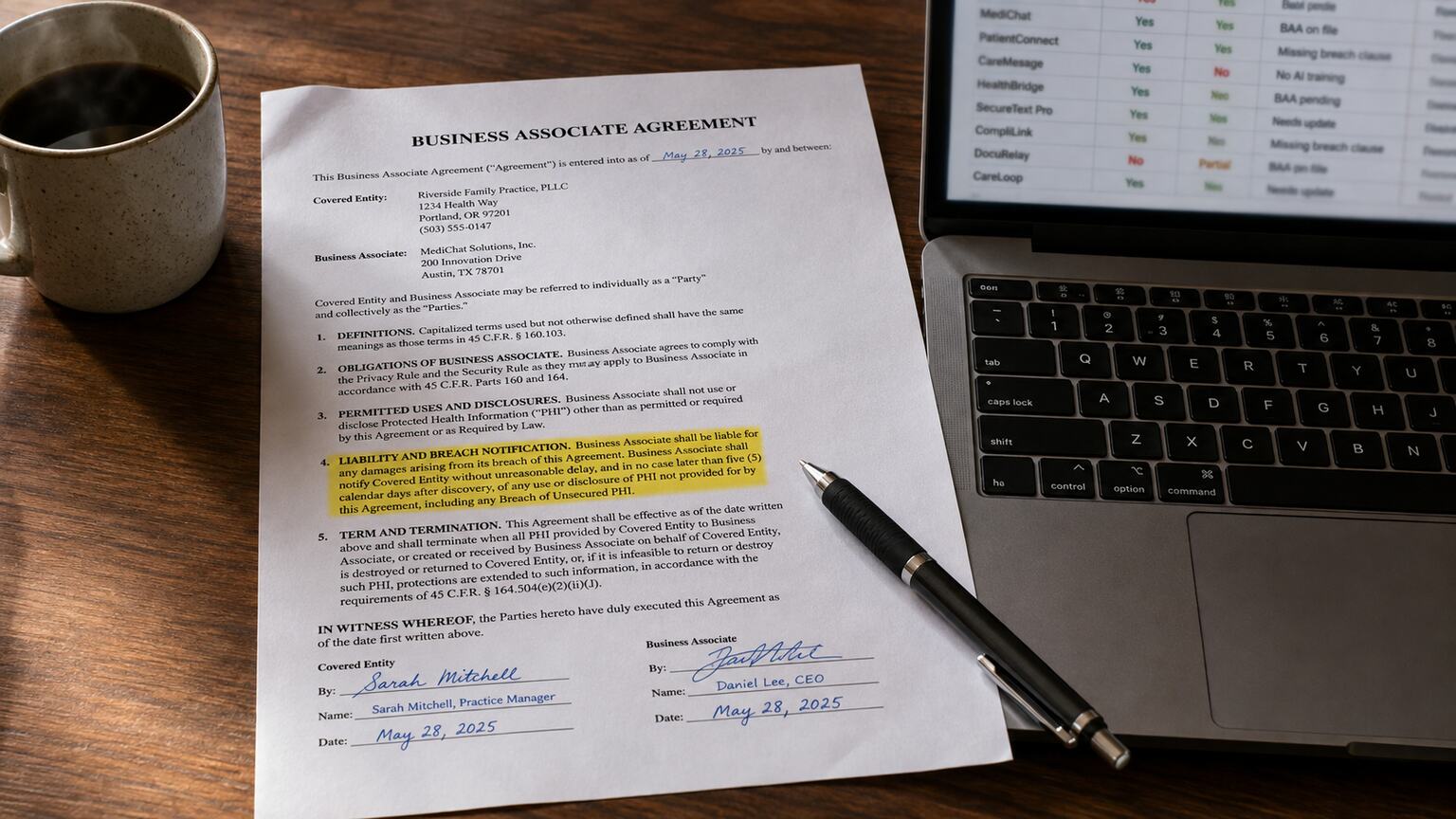
Figure 1. A signed Business Associate Agreement — not a marketing page that says "HIPAA compliant" — is the actual document that makes a messaging vendor legal to use with patient data.
Why "It Says Encrypted" Isn't the Same as HIPAA-Compliant
Almost every consumer messaging app you've ever used advertises encryption somewhere in its marketing copy, and that single word does an enormous amount of unearned work in convincing physicians a tool is safe. Encryption is necessary, but on its own it answers only one narrow question — can someone intercept this message while it travels between two phones — and HIPAA compliance is really a bundle of a dozen different questions, most of which have nothing to do with encryption at all. Who can see the message after it's delivered. How long does it sit on a server you don't control. What happens to it if an employee's phone is stolen. Is there a legal contract obligating the company that built the app to protect that data the same way you're legally obligated to. A tool can encrypt a message perfectly and still fail every one of those other questions, which is exactly how a well-meaning practice ends up using an app that is genuinely unsafe for patient information despite feeling secure.
Think of it the way you'd think about a locked exam room versus an actual chain of custody for a specimen. A locked door is a real security measure — it keeps someone from wandering in uninvited — but it tells you nothing about who has a key, whether anyone logs who entered, or what happens to that room's contents after the door is unlocked again. HIPAA compliance for a messaging app is closer to the full chain-of-custody standard: not just "is it locked," but "who holds the keys, is there a record of every time it was opened, and is there a legally binding agreement governing what happens to what's inside." A consumer app gives you the locked door. A compliant platform gives you the whole chain.
This distinction matters because the consequences of getting it wrong aren't hypothetical. The Department of Health and Human Services' Office for Civil Rights, which enforces HIPAA, has issued real financial penalties against practices for exactly this — using a popular, genuinely encrypted consumer app to send patient information, with no contract in place and no way to control what happened to that data afterward. The app itself wasn't the violation; the absence of the legal and administrative structure around it was. That's the core reframe this entire article is built on: a HIPAA-compliant messaging app isn't defined by a single clever technical feature. It's defined by a specific, checkable list of contractual, administrative, and technical requirements, and a physician doesn't need a computer science degree to verify every item on that list — just to know what the list actually contains.
The Business Associate Agreement: The One Document That Actually Makes This Legal
If you remember only one term from this entire article, make it this one: the Business Associate Agreement, almost always shortened to BAA. Under HIPAA, any outside company that creates, receives, stores, or transmits protected health information on your behalf — a texting app, a scheduling platform, a cloud storage service, an answering service — is legally classified as a "business associate," and federal law requires a signed contract between your practice and that company before any patient data touches their system. That contract is the BAA. It's not paperwork for paperwork's sake; it's the specific document that obligates the vendor to protect that data with the same seriousness the law already requires of you, and it's what makes the vendor legally accountable, alongside you, if something goes wrong on their end.
Here's the part that catches physicians off guard: the vast majority of the messaging apps sitting on phones in exam rooms across the country do not offer a BAA at all, because they were never designed as healthcare tools and the company has no interest in taking on that legal obligation. If a messaging app's website has no page mentioning HIPAA, no BAA available for signature, and no sales team that can produce one on request, the answer isn't "probably fine for quick messages" — it's a hard no, regardless of how encrypted the app claims to be, because without that signed contract, you have no legal standing whatsoever if that vendor mishandles the data, and you are the one who absorbs full regulatory responsibility for putting patient information there in the first place.
A genuinely compliant vendor will offer a BAA proactively, before you even ask, because they built their business around healthcare customers and know it's the first thing any informed buyer will request. When you're evaluating a platform, ask for the BAA before you ask about pricing or features — a vendor that hesitates, stalls, or tries to redirect you to a generic terms-of-service page instead has just told you everything you need to know. It's worth treating this the way you'd treat a specialist who can't produce their board certification when asked directly: the absence of a straightforward answer is itself the answer.
What a Real BAA Actually Covers
A proper BAA isn't just a signature line — it spells out specific obligations: that the vendor will use appropriate safeguards to prevent unauthorized use of the data, that they'll report any breach to you within a defined timeframe, that they'll make the data available to you on request, and that any subcontractor the vendor uses (a cloud hosting company, for instance) is bound by the same terms through what's called a "downstream" agreement. If a vendor sends you a one-paragraph BAA with none of these specifics, that's a meaningfully weaker document than one that spells out breach notification timelines and subcontractor obligations in detail — length alone isn't the test, but the presence of these specific commitments is.
Encryption in Transit vs. Encryption at Rest — What Actually Has to Be True
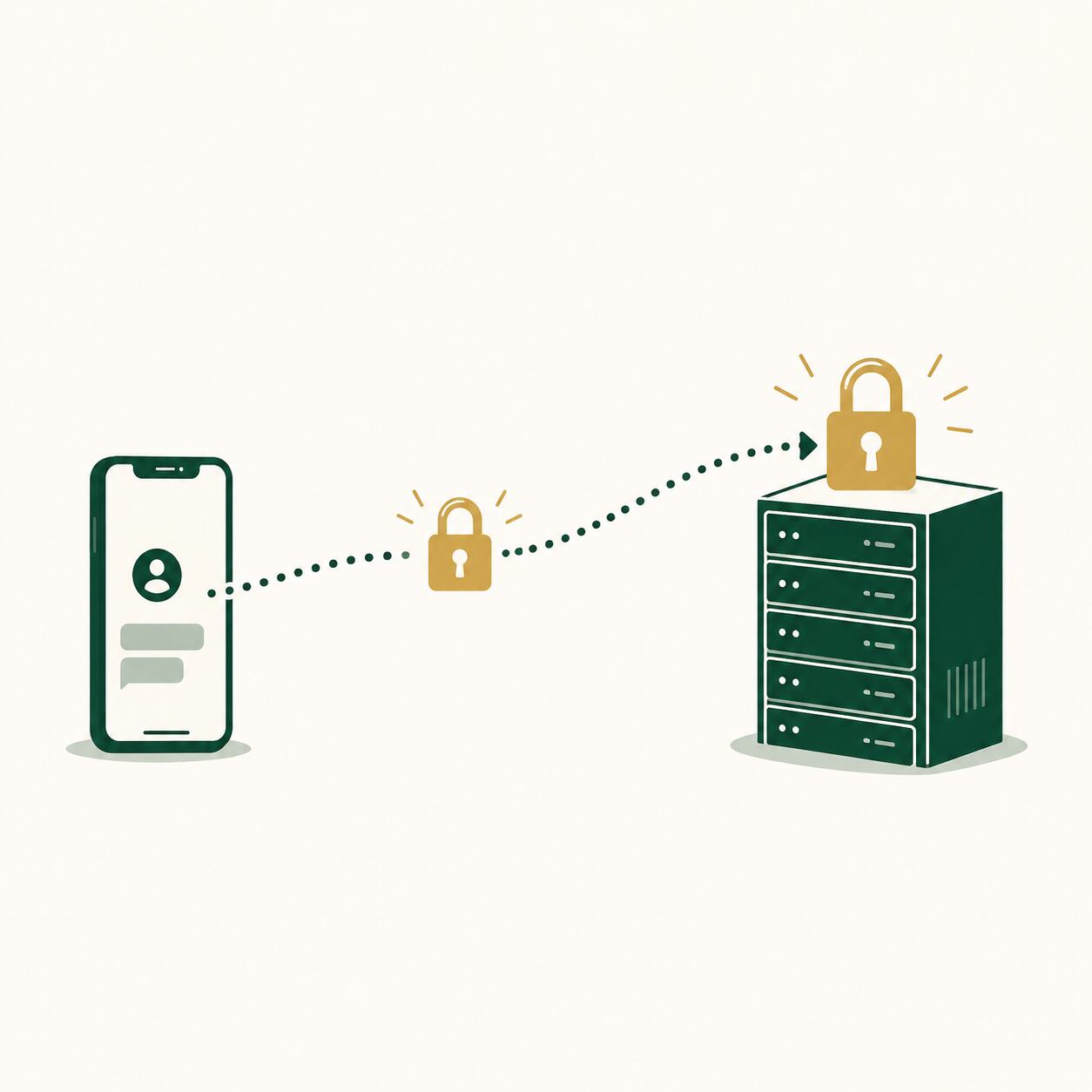
Figure 2. Encryption has to hold at two separate moments — while the message travels, and again while it sits stored on the vendor's server — and a compliant tool has to prove both.
When a vendor says "we're encrypted," ask which of two distinct things they mean, because both need to be true and vendors sometimes only deliver one. Encryption in transit protects a message while it's actively moving between your phone and the recipient's — think of it as an armored courier truck: whatever's inside is protected specifically during the drive. Encryption at rest protects that same message once it arrives and sits stored on the vendor's servers, which for a messaging app is most of the time, since messages typically remain retrievable long after they're delivered. An app can have excellent encryption in transit and weak or absent encryption at rest, meaning the "armored truck" delivered your patient's information into a warehouse with a much flimsier lock — and a breach of that storage server, not the delivery itself, is where most real-world data exposures actually happen.
There's a related concept worth understanding by name because vendors use it as a selling point: end-to-end encryption, which means only the sender and the intended recipient can decrypt the message — not even the company running the app can read it. This sounds like the gold standard, and for consumer privacy it often is, but it creates a genuine tension for a healthcare tool, because true end-to-end encryption can also mean the vendor themselves can't produce message content for an audit log, a compliance review, or an e-discovery request during litigation — capabilities a practice actually needs. The strongest healthcare messaging platforms typically use robust encryption in transit and at rest, administered by the vendor under strict access controls, rather than pure end-to-end encryption that would make their own audit and compliance features technically impossible to build. Neither approach is automatically wrong, but understanding which one a vendor uses — and why — tells you whether their audit-log claims later in the sales pitch are even technically achievable.
The practical takeaway for a buyer without an IT background: don't accept "we're encrypted" as a complete answer. Ask specifically whether encryption applies both in transit and at rest, and ask what encryption standard is used — AES-256 is the current accepted baseline for data at rest in healthcare software, and a vendor who can state that specification confidently, without hesitation, is one who actually understands their own architecture rather than repeating a marketing line they were handed.
Access Controls and Audit Logs: Proving Who Saw What, When
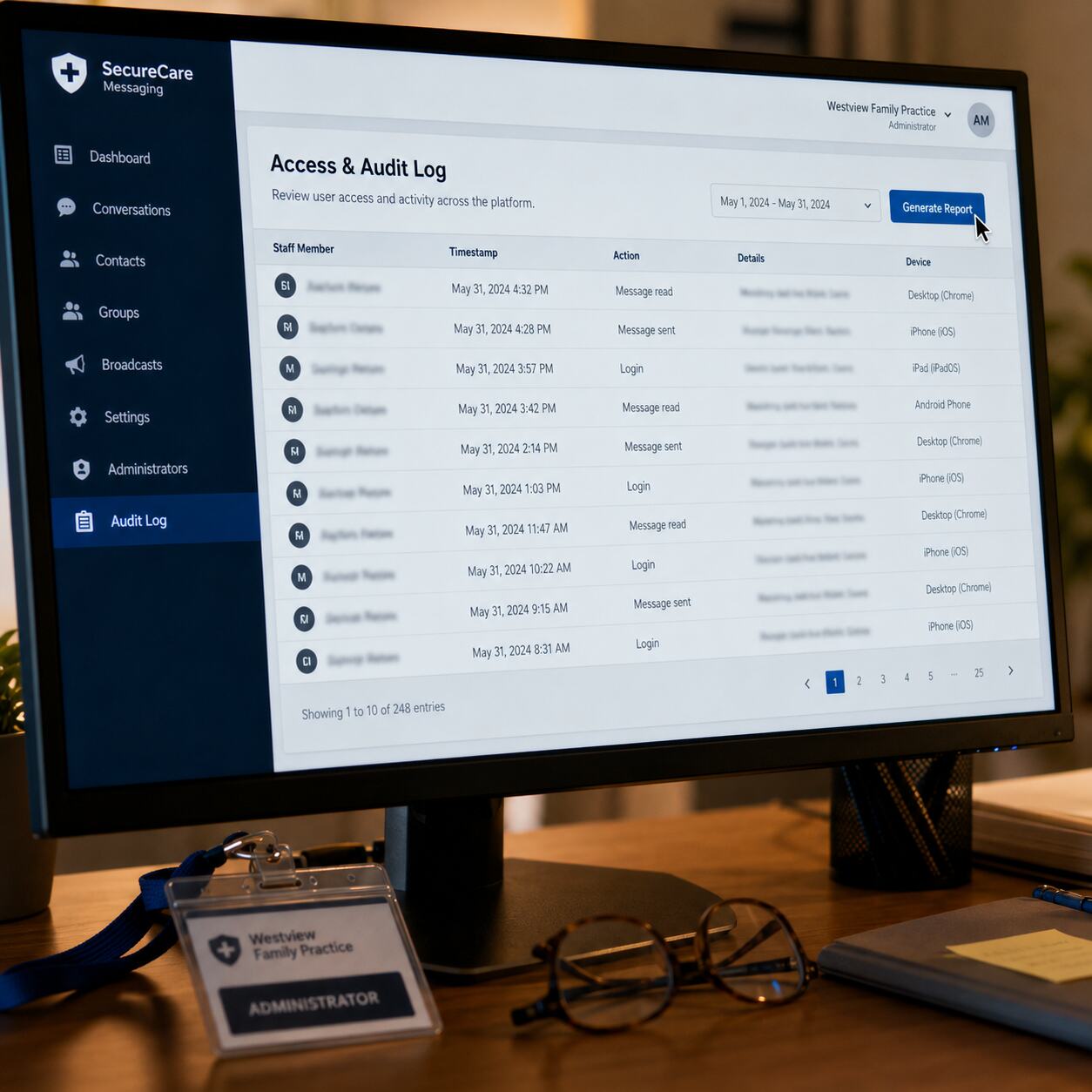
Figure 3. A real audit log records exactly who accessed a message and when — the same accountability chart review already gives you for who opened and edited a patient's record.
Every physician already has a working mental model for this concept, because your EHR does it constantly without you thinking about it: whenever anyone opens a patient's chart, the system quietly logs who accessed it, when, and often what they changed. That audit trail is what lets you reconstruct, months later, exactly who viewed a given record — and it's a core HIPAA requirement, not an optional nicety. A compliant messaging app needs the exact same capability, applied to conversations instead of charts: a record of who sent a message, who read it, when, and from which device, retrievable by an administrator without needing to individually interrogate every staff member's memory.
Access controls are the companion piece to audit logs, and they answer a slightly different question: not "what happened," but "what is any given person even allowed to do." In a well-built platform, you as the practice owner can define roles — front desk staff might be able to message patients about scheduling but not view a physician-to-physician clinical thread, a per diem covering physician might have access automatically revoked the day their coverage ends, a departing employee's account can be deactivated centrally rather than relying on someone remembering to individually delete an app off a personal phone. Without this kind of role-based structure, every person with the app installed effectively has the same level of access to everything, which is the messaging equivalent of every employee in your practice sharing one login to the EHR — technically functional, but a structural failure waiting for the day it actually matters.
When evaluating a platform, ask directly: can an administrator pull a report showing every message a specific staff member sent or read over a specific date range, and can access be revoked centrally the moment someone leaves? If the honest answer is "not really" or "you'd have to ask us to look into our backend," that's a meaningful gap — not a deal-breaker on its own, but a clear signal to keep digging into how seriously the platform was actually built for healthcare, rather than adapted from a general-purpose messaging tool after the fact.
Want your patients receiving results through a channel that's actually built for it, instead of a screenshot texted from a personal phone? LabsFive turns every report into a clear, professional, patient-ready document your team can share the right way — see it for yourself.
Create My Free AccountMessage Retention and Why "Disappearing Messages" Can Backfire
Several popular consumer apps market a feature that sounds like a privacy win — messages that automatically disappear after a set time, gone for good. In a healthcare context, this feature can quietly become a liability rather than a protection, and it's worth understanding exactly why before a well-meaning staff member turns it on because it "sounds more secure." HIPAA doesn't just require you to protect patient information from unauthorized access; in many circumstances it also requires you to be able to produce a record of clinical communications when needed — during an audit, a malpractice inquiry, or a patient's own request for their records. A message that auto-deletes before that need arises isn't extra-safe; it's a compliance gap that only reveals itself at the exact moment you can least afford one.
Think of it the way you already think about the clinical chart itself. You would never enable a feature that quietly erased a portion of a patient's note after thirty days, no matter how appealing "less clutter" sounds, because the chart's entire value depends on it being a complete, reconstructable record over time. A clinical text thread deserves the same standard. This doesn't mean every message needs to live forever — a well-built platform lets you set a defined, deliberate retention policy, often mirroring your existing medical record retention schedule, rather than an arbitrary disappearing-message timer designed for personal privacy conversations between friends.
The distinction to hold onto is retention policy versus retention accident. A retention policy is something you or your compliance officer decided on purpose, documented, and can explain if asked. An accidental gap — messages vanishing because a consumer app's default settings deleted them, with nobody at the practice ever deciding that should happen — is exactly the kind of thing that looks indefensible during an audit, even though no one did anything maliciously wrong. When you evaluate a platform, ask specifically how retention works, whether it's configurable, and whether deleted messages are truly gone or recoverable by an administrator for a defined compliance window. A vague answer here is a bigger red flag than it might initially seem, because retention is one of the areas where good intentions and consumer-app defaults collide most often.
Device-Level Risk: What Happens When a Phone Is Lost, Stolen, or an Employee Leaves
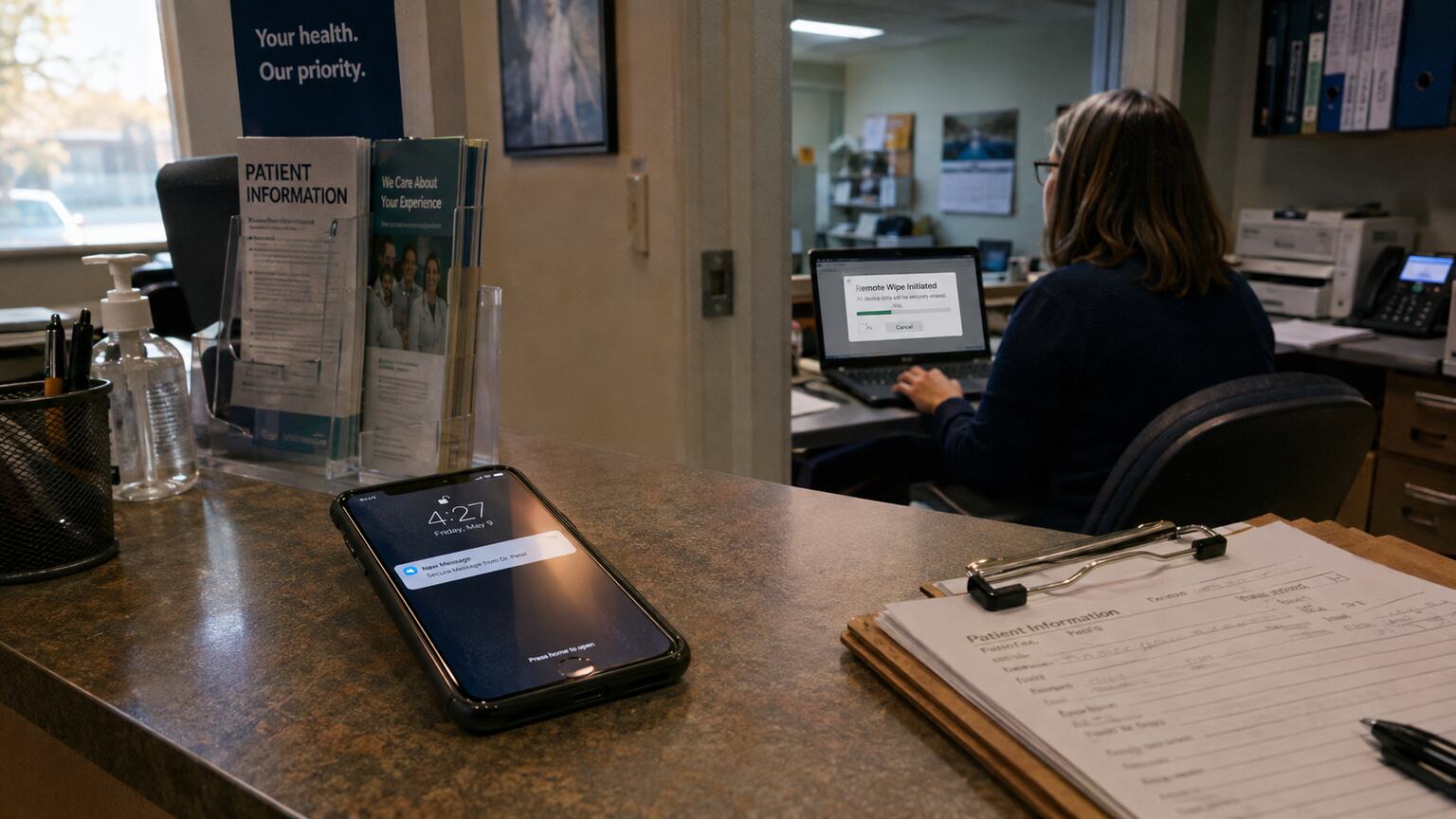
Figure 4. A lost or unattended device is where most real-world messaging breaches actually begin — which is why remote wipe and app-level PIN locks matter as much as the encryption itself.
Most conversations about messaging security focus entirely on what happens between two servers, but in day-to-day practice life, the single most common way patient information actually leaks isn't a sophisticated hack — it's a phone left on a counter, a tablet forgotten in a coffee shop, or a personal device that still has the app installed six months after an employee left the practice. A HIPAA-compliant messaging platform has to account for this reality directly, with features that protect the data even when the physical device itself is compromised, not just when the network connection is.
Two specific capabilities matter here more than almost anything else in this category. First, remote wipe: the ability for an administrator, from a central dashboard, to instantly remove all message data from a specific device the moment it's reported lost or stolen — without needing physical possession of the phone. Second, remote deauthorization: the ability to instantly cut off a departed employee's access to the platform entirely, independent of whether they still have the app installed on a personal device, so a resignation or termination doesn't leave a lingering access point nobody remembers to close. Without both of these, your practice's actual data security is only as strong as every individual staff member's personal habits around locking their phone and remembering to log out — a standard no compliance program should be willing to rely on.
A related, easy-to-overlook feature is an app-level passcode or biometric lock that's separate from the phone's own screen lock. If a staff member's phone is already unlocked — sitting on a desk mid-shift, handed to a colleague to show a photo — a messaging app with no additional lock of its own is one tap away from exposing every patient conversation on it. An app-specific lock adds a second, independent barrier that doesn't depend on the phone's own security setting, which matters enormously on personal devices where screen-lock habits vary widely from one employee to the next.
Bring-Your-Own-Device Policies Deserve Their Own Conversation
Many small practices allow staff to use personal phones for work messaging rather than issuing dedicated devices, largely because it's cheaper and more convenient. This is workable, but only if the messaging app itself is built to isolate work data from the rest of the phone — a "container" that can be wiped or locked independently of the employee's personal photos, texts, and apps. A platform that can't do this forces an uncomfortable choice during any security incident: either wipe the employee's entire personal phone to remove patient data, which is invasive and will understandably upset staff, or leave the data exposed. Ask any vendor specifically how they handle personal-device scenarios before assuming your practice's current setup is safe simply because "everyone has the app."
Patient-Facing vs. Staff-Facing Messaging: Two Different Compliance Problems
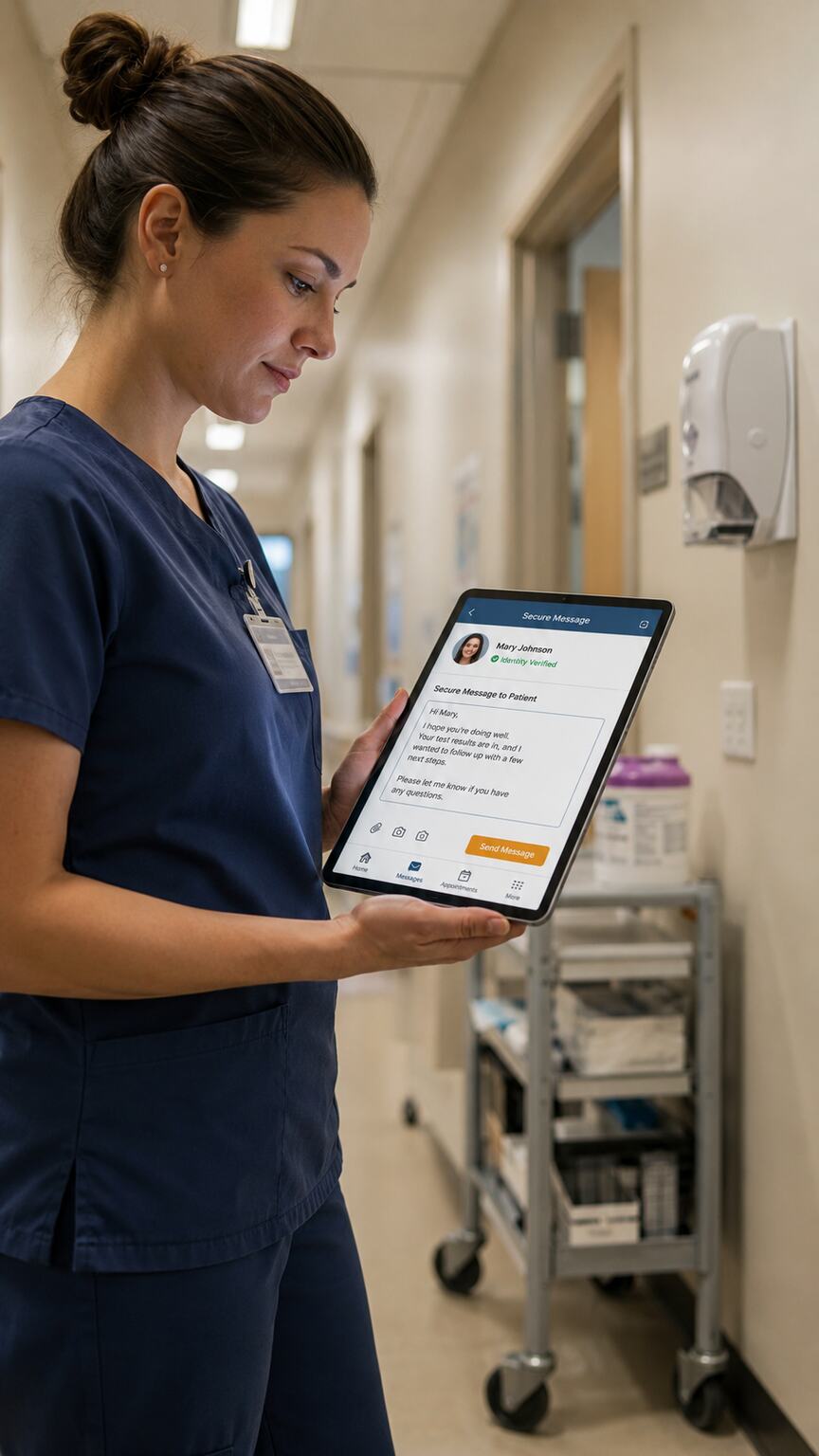
Figure 5. Messaging a patient and messaging a colleague are two separate compliance problems — the platform, the consent, and the identity-verification requirements differ between them.
So far this article has mostly discussed messaging between staff and colleagues, but a separate and equally important category is messaging directly with patients, and it comes with its own distinct requirements layered on top of everything already covered. The first is patient consent: HIPAA generally allows a practice to communicate with a patient through a method the patient has agreed to, including standard unencrypted text messaging, provided the practice has warned the patient of the risk and documented that agreement. This is genuinely different from staff-to-staff messaging, where no such consent mechanism exists or is needed, because the practice itself sets the standard for its own internal communications.
The second distinct requirement is identity verification. When a nurse messages a covering physician, both parties already know who they're talking to. When a practice messages a patient, there needs to be reasonable confidence the message is actually reaching that specific patient and not, say, a family member who happens to have access to a shared phone or a former number that's been reassigned to someone else. A compliant patient-facing platform typically ties messaging to a verified patient portal account rather than a raw phone number, precisely to reduce this risk — sending a result notification that says "you have a new secure message, log in to view it" rather than putting the actual clinical content directly in a text message that could land on the wrong screen.
This is also where the distinction between a general-purpose HIPAA-compliant texting app and a purpose-built patient communication platform starts to matter. A tool built primarily for staff-to-staff coordination may satisfy every technical requirement covered so far and still be a poor fit for direct patient communication, simply because it wasn't designed around consent capture, portal-based identity verification, or patient-friendly interfaces. If your practice needs both — internal staff coordination and direct patient outreach — it's worth explicitly asking a vendor which of the two their product is actually built for, rather than assuming a platform that handles one automatically handles the other well.
Why Standalone Texting Creates a Second, Unmonitored Medical Record
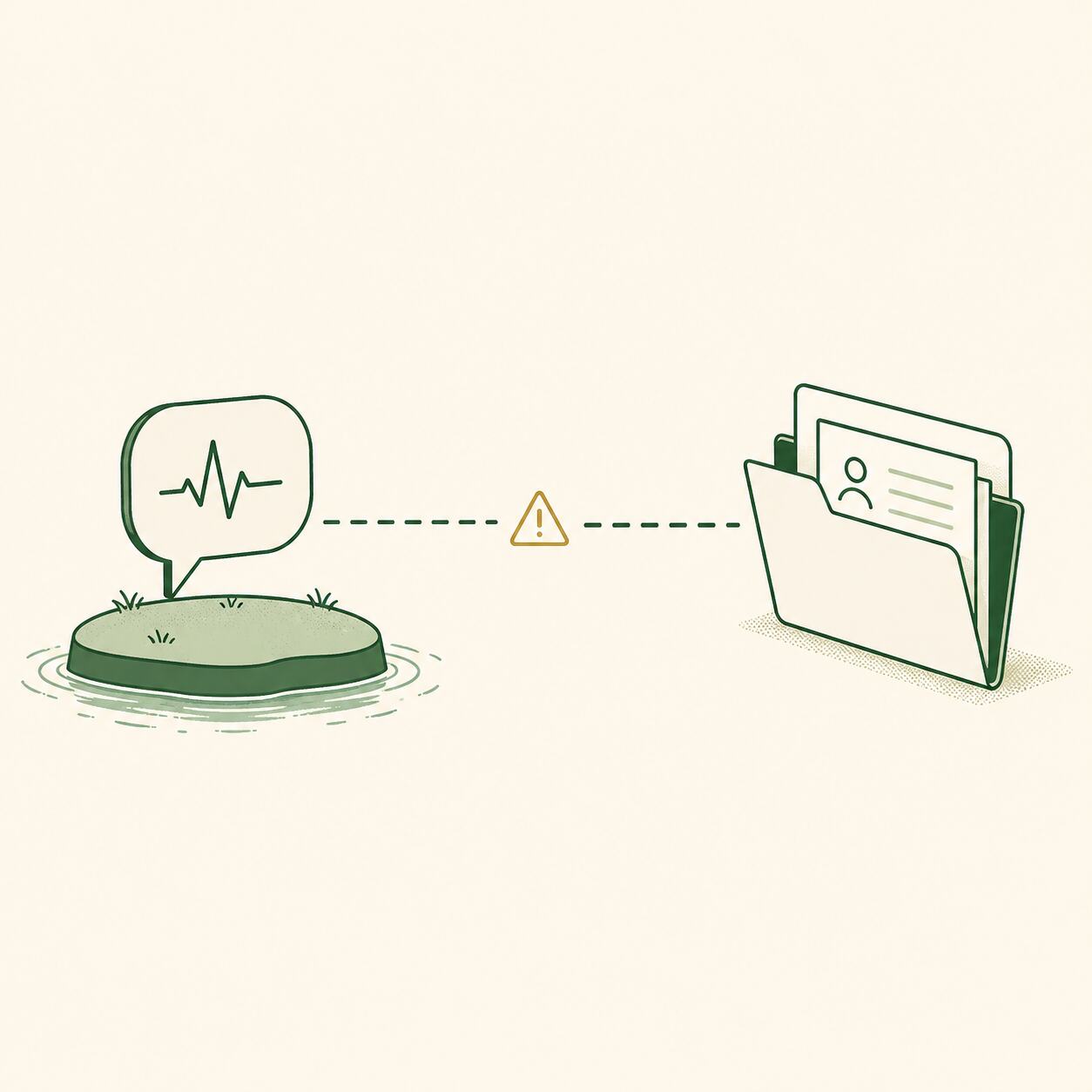
Figure 6. A clinically relevant text thread that never reaches the chart isn't just a compliance gap — it's a second, informal medical record no one else on the care team can see.
There's a consequence of ungoverned texting that has nothing to do with encryption or breach risk, and it's one physicians often don't consider until it's pointed out directly: a clinically meaningful conversation that happens entirely inside a messaging app and never gets documented in the chart is, functionally, a second medical record that only exists on two people's phones. If a nurse texts you that a patient's home glucose readings have been running high all week, and you respond with a plan over text, and neither of you ever transfers that exchange into the chart, you now have clinical decision-making that isn't reflected anywhere an auditor, a covering colleague, or a future version of yourself reviewing the case six months later would ever see it.
This is precisely the problem EHR-integrated messaging platforms are built to solve. Rather than treating texting and charting as two separate systems that happen to both exist, an integrated platform lets a clinically relevant message be flagged and pulled directly into the patient's record with a couple of taps, closing the gap between "what actually happened" and "what the chart says happened." Even where full technical integration isn't available, the underlying discipline matters just as much: any message that materially affects a clinical decision needs a documented equivalent in the chart, treated with the same seriousness as a phone call from a patient that gets summarized in a note.
When you're comparing platforms, ask specifically whether the tool offers any EHR integration — even a basic export or a documented API — versus operating as a fully isolated silo. A silo isn't automatically disqualifying if your practice has strong manual habits around transferring clinically relevant content into the chart, but it does put more weight on human discipline to close a gap that better software could close structurally. All else being equal, a platform that reduces how often a physician has to remember to manually bridge two systems is the safer long-term choice, because manual habits are exactly the kind of thing that erode quietly during a busy week.
Red Flags That Signal a Vendor Isn't Actually Compliant
A handful of specific warning signs, once you know to look for them, make it much faster to filter out a vendor that isn't genuinely built for healthcare, rather than spending weeks in a sales process before discovering the gap. The first is marketing language that says "HIPAA compliant" without any accompanying detail — no mention of a BAA, no explanation of encryption standards, no description of audit logging. Genuine healthcare vendors tend to over-explain this specific area, precisely because they know their buyers are physicians and compliance officers who will ask hard questions; vague reassurance is a sign the claim hasn't been tested by anyone who actually understood what to ask.
The second is a sales team that can't clearly answer, on the spot, whether the platform offers a BAA and what it costs — sometimes a compliant BAA is included in the base price, and sometimes it's an added enterprise-tier fee, but either way, a sales representative who doesn't know the answer to this specific question hasn't been trained on the single most important thing a healthcare buyer needs to hear. The third is a platform originally built for a completely different industry — retail customer service, general team chat, real estate — that later added a "healthcare" tier as an afterthought. This isn't automatically disqualifying, since some genuinely solid platforms did start elsewhere and built out real healthcare capability later, but it does mean you should scrutinize the specific healthcare features more closely rather than assuming the core product's general reputation covers them.
The fourth red flag is the absence of any mention of audit logs, access controls, or remote wipe anywhere in the product's documentation — if these terms don't appear at all, even in an FAQ, it's a reasonably strong signal the platform wasn't architected with them in mind from the start, and retrofitting real audit infrastructure onto software that wasn't designed for it is a much harder, often incomplete process than building it in from day one. And the fifth is pressure to sign a long-term contract before you've had a chance to see the compliance documentation firsthand — a vendor confident in their own compliance posture has no reason to rush you past the point where you'd actually verify it.
A Practical Evaluation Checklist for Your Next Vendor Demo

Figure 7. The strongest safeguard against choosing the wrong platform is a short, specific list of questions asked directly during the demo, before any contract is signed.
Everything covered so far translates into a short list you can genuinely bring into a fifteen-minute vendor call and get real answers to, without needing any technical background yourself. Ask, in order: Will you provide a signed Business Associate Agreement before we exchange any patient data, and can I see a sample of it now? Is data encrypted both in transit and at rest, and what encryption standard do you use? Can an administrator generate an audit log showing exactly who accessed a specific message and when? Can access be centrally revoked the moment an employee leaves, independent of whether the app is still installed on their personal device? Is there a remote-wipe capability for lost or stolen devices? How is message retention handled, and can it be configured to match our practice's own record retention policy rather than defaulting to auto-deletion? Does the platform integrate with our EHR, even at a basic level, or does clinical content need to be manually transferred into the chart?
A vendor genuinely built for healthcare will answer every one of these questions specifically, often before you finish asking, because they've heard every version of this question from other physicians many times before. A vendor who is vague, defensive, or needs to "check with the technical team and get back to you" on more than one or two of these isn't necessarily acting in bad faith — but it's a strong signal that compliance wasn't the product's starting point, and you're being asked to trust a retrofit rather than a purpose-built system.
Common Mistakes Practices Make Even After Choosing a Compliant Tool
Choosing the right platform is necessary but not sufficient — a genuinely compliant tool can still be undermined by how a practice actually uses it day to day, and a few specific patterns account for most of the real-world gaps that show up even after the "right" software is already in place. The first is partial adoption: the practice pays for and rolls out a compliant platform, but a handful of staff members continue defaulting to their personal texting app out of habit for quick, informal questions, quietly recreating the exact risk the new platform was purchased to eliminate. The fix isn't more warnings; it's making the compliant tool at least as fast and frictionless as the habit it's replacing, and being explicit, in writing, that patient-related messages have exactly one approved channel, with no informal exceptions for "just this once."
The second is never actually training staff on the platform's compliance features beyond the basic act of sending a message — most employees are shown how to type and send, but never shown how retention works, what happens if they lose their phone, or what the audit log means for their own accountability. A staff member who doesn't understand why a feature exists is far more likely to work around it when it feels inconvenient. The third is treating the initial vendor evaluation as a one-time event rather than a relationship that needs occasional revisiting — vendors change ownership, get acquired, alter their data-handling practices, or quietly let a BAA lapse without proactively telling every customer, and a practice that never checks back in after the initial signup can end up non-compliant with a tool that was fully compliant the day it was purchased.
The fourth, and perhaps the most avoidable, is never actually reading the BAA itself — treating "they offered one" as equivalent to "we're covered," without anyone at the practice actually reviewing what it says about breach notification timelines, subcontractor obligations, or what happens to your data if you ever cancel the service. A signed BAA is the floor, not a substitute for understanding what you signed.
Frequently Asked Questions
Is regular text messaging (SMS) ever allowed for patient communication?
Standard SMS can be used with a patient's informed consent for lower-risk, non-sensitive communications like appointment reminders, provided the patient has been told about the risk of unencrypted transmission and that consent is documented. It's a poor fit for detailed clinical content like specific results or diagnoses, which is exactly why portal-based or platform-based messaging exists as the safer default for anything more sensitive than a reminder.
Can I use a free version of a messaging app if it says it offers a BAA?
Check carefully — many vendors reserve the BAA for a paid, often higher, subscription tier, and the free version explicitly excludes it. Using the free tier for patient data while assuming the company's general BAA policy covers you is a common and costly misreading of a vendor's terms; always confirm the BAA applies to the specific plan you're actually paying for.
What actually happens if my practice is found using a non-compliant app?
Consequences range from a corrective action plan with no monetary penalty for a minor, promptly corrected issue, up to significant financial fines for larger or repeated violations, particularly if a breach of patient data actually occurred. Beyond the direct penalty, an investigation itself consumes considerable practice time and can damage patient trust if it becomes public, which is often the more painful cost in practice.
Does a HIPAA-compliant messaging app slow staff down compared to texting?
Well-built healthcare messaging platforms are generally designed to feel as fast as standard texting, since vendor adoption depends entirely on staff actually using the tool instead of reverting to old habits. Some initial friction during rollout is normal, but a platform that remains meaningfully slower or more cumbersome than texting after the first few weeks is worth reconsidering, since a compliant tool nobody actually uses provides no protection at all.
Do I need a different platform for staff messaging versus patient messaging?
Not necessarily, but it's worth confirming a single platform genuinely handles both well rather than assuming it does. Staff messaging emphasizes access controls and audit logs; patient messaging emphasizes consent capture and identity verification. Some platforms do both convincingly, while others are clearly built around one use case with the other added as a secondary feature — ask directly which was the platform's original design focus.
How do I handle staff who resist switching away from a familiar texting app?
Resistance is usually about friction, not disagreement over the reasoning — most staff understand the compliance stakes once explained clearly, but will still default to the faster, more familiar habit under time pressure unless the new tool is genuinely just as fast. Pair a clear, one-time explanation of why the change matters with a firm, written policy that patient-related messages have exactly one approved channel, and revisit adoption after a few weeks rather than assuming a single announcement solved the habit permanently.
Conclusion
A HIPAA-compliant messaging app isn't defined by a single reassuring word in a vendor's marketing copy — it's a specific bundle of contractual, administrative, and technical requirements that all have to be true at once: a signed Business Associate Agreement, real encryption in transit and at rest, meaningful access controls and audit logs, a retention policy you actually chose on purpose, device-level protections for the moment a phone goes missing, and a clear plan for how patient-facing communication differs from staff-facing communication. None of this requires you to become a technologist. It requires knowing which specific questions to ask, and refusing to accept a vague answer to any of them, the same instinct you'd already apply if a specialist you were referring a patient to couldn't clearly explain their own process.
The upside of getting this right extends well past avoiding a penalty. A genuinely compliant, genuinely fast messaging system removes the daily friction that pushes staff toward risky workarounds in the first place, closes the gap between what actually happens in patient care and what the chart reflects, and gives you, as the physician whose name and license carry the ultimate accountability, real confidence that a quick message sent between two people during a busy afternoon isn't quietly becoming the practice's next compliance incident.
Ready to Offer a More Complete Standard of Care?
Join the physicians using LabsFive to turn every lab result into a clear, professional, patient-ready report — start with free credits, no commitment.
Create My Free AccountThis article is for general informational purposes only and does not constitute legal or compliance advice. Consult qualified counsel and a HIPAA compliance professional regarding your practice's specific communication tools and obligations.